

BangaWin Casino Mobile Version
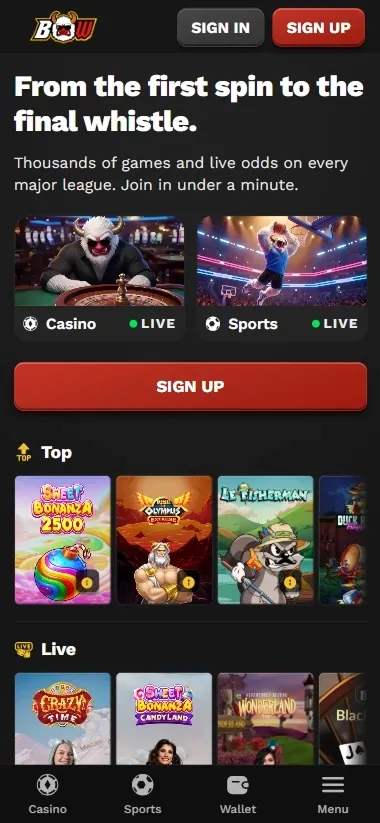
There are no native iOS or Android apps. The website opens in a mobile browser on a smartphone or tablet, adjusting its menus and content cards to the screen. You do not need to download an APK or install a client from an app store.
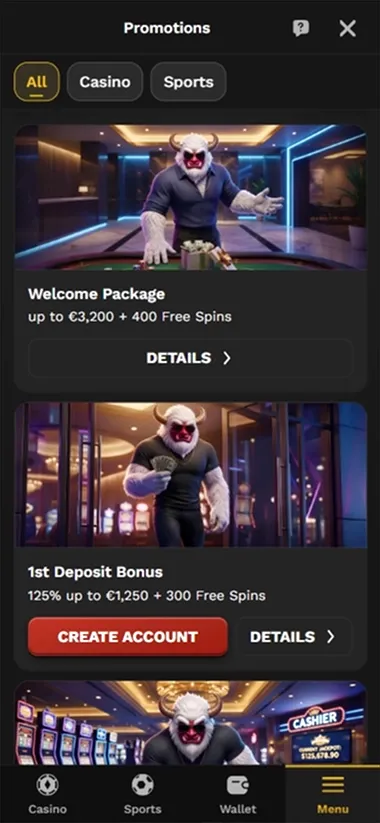
The mobile browser gives access to the main account features: the catalogue, cashier, promotions, transaction history, document uploads and Live Chat. For the best experience, use an up-to-date version of Safari, Chrome or another modern browser.
How to Use the Site on Your Phone
- Open your browser and visit the BangaWin Casino website.
- Check the page address before entering your credentials.
- Sign in with your email address and password.
- If you are new, complete the registration form and verify your email address.
- Use the menu to open the catalogue, cashier or profile.
- If needed, bookmark the page or add a shortcut to your home screen using your browser.
A shortcut is simply a quick link to a webpage, not an installed app. Do not download files advertised by third-party sites as an official APK.
Mobile Entertainment
The catalogue opens in your browser, with content tiles rearranged to fit the display. Slots, crash formats, table titles and live dealer rooms are available where permitted in your region. Most slots can be launched in demo mode.
Use a reliable internet connection for uninterrupted play. Live streams may consume more data than standard slots. If a page loads slowly, close unused tabs or switch to Wi-Fi.
Cashier and Payments on a Smartphone
The mobile site lets you add funds and request withdrawals. The cashier displays the methods available to your account: cards, e-wallets, Interac, bank transfers and Paysafecard for top-ups. The last option does not support payouts.
Before confirming, check the amount, currency and payment method. If a transaction does not appear, save the receipt and contact support. Do not send a second payment until the first one has been traced.
Account Verification by Phone
If the operator requests KYC, you can upload document photos through the browser. Take pictures in good light, avoid cropping the edges and make sure all text is legible. Hide your CVV and sensitive card digits. Send files only through your account or another official secure channel.
Support and Notifications
Live Chat is available around the clock and opens over the current page. For complex requests involving attachments, use email. Support is offered in several languages, including major European languages, Arabic and Farsi.
You do not need a separate app to get assistance. If browser notifications are disabled, check the request status in your account or ask in chat.
Mobile Security
- Use a screen lock and a unique password.
- Sign out when using someone else’s device.
- Do not save payment details on a shared phone.
- Check the official website address before signing in.
- Never share your password, full card number or one-time code with support.
- If your phone is lost, change your password and contact support.
Troubleshooting Common Problems
| Issue | What to do |
|---|---|
| Site does not open | Check your connection and refresh the page |
| Title does not load | Restart the browser or choose another |
| Payment does not appear | Check your history and contact support |
| Cannot upload a document | Check the file format, size and clarity |
| Profile is open on another device | End the session and change your password |